# pi-browser-harness
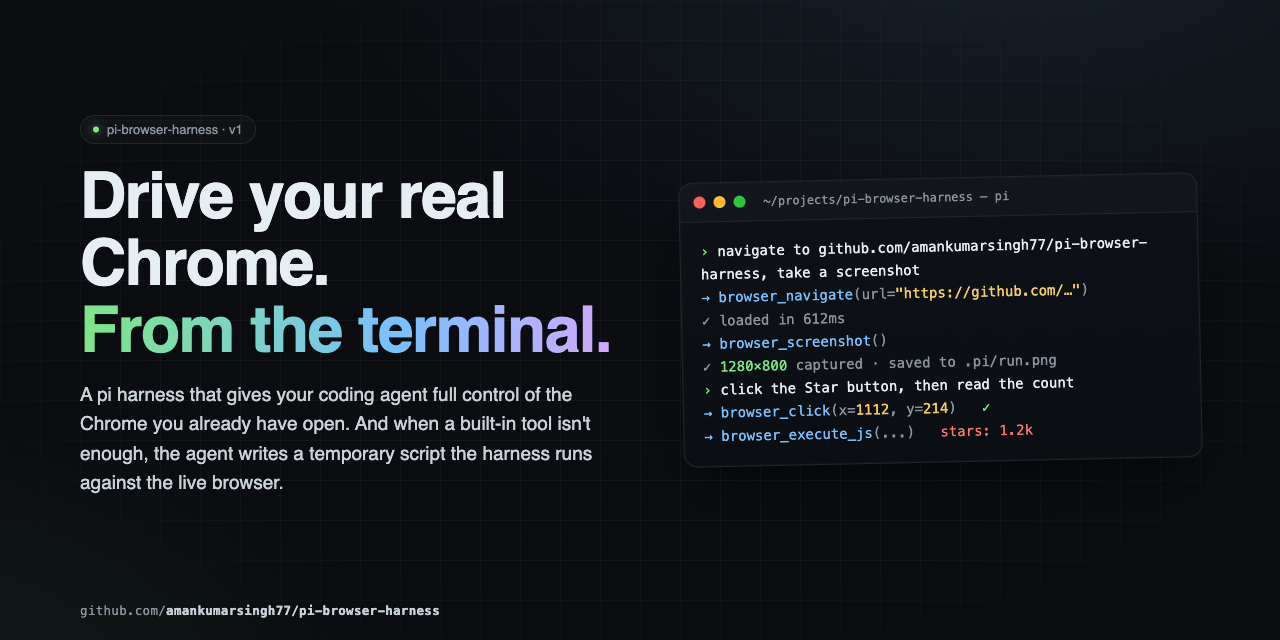
**Browser control for [pi](https://github.com/badlogic/pi-mono) agents, in the Chrome you're already using.**
Your profile, your logins, your cookies. The agent reads pages as an accessibility tree with stable
element handles, fills forms that React won't revert, captures network traffic and console errors,
searches the web, and drops to raw CDP when the tools run out. 40 tools over a single CDP connection —
no MCP hop, no second browser, no extra API keys.
---
## How it compares
| | **pi-browser-harness** | Playwright MCP | Puppeteer MCP | Stagehand |
|---|---|---|---|---|
| **Browser** | Your running Chrome — real profile, live sessions | Launches a clean instance | Launches a clean instance | Launches a clean instance |
| **Element targeting** | AX-tree refs (`[eN]`) that re-resolve at action time; coordinate and selector fallbacks | Selectors / AX locators | CSS selectors | LLM-inferred selectors |
| **Input dispatch** | Compositor-level CDP input — works through iframes, shadow DOM, cross-origin frames | DOM-level | DOM-level | DOM-level |
| **Framework-safe writes** | `browser_fill` writes via the native setter and fires bubbling events, so controlled inputs keep the value | Native fill | Manual | Native fill |
| **Transport** | Native pi extension, in-process | MCP / JSON-RPC round trip | MCP / JSON-RPC round trip | In-process + its own LLM calls |
| **Extra credentials** | None | None | None | Its own model API key |
| **Concurrency** | Reads run in parallel; mutations auto-serialize through a shared mutex | Sequential | Sequential | Sequential |
| **Isolation** | Dedicated Chrome window per session; refuses tabs it didn't open | N/A (own browser) | N/A | N/A |
| **Terminal output** | Inline screenshots and `Ctrl+O`-expandable tool results | Plain text | Plain text | Plain text |
| **Escape hatch** | `browser_run_script` — raw CDP + full Node in one call | — | — | — |
Reflects each project's default configuration. Corrections welcome via PR.
**The short version:** if you live in pi and want an agent driving the same Chrome you're already
signed into, this is the one that fits.
---
## Install
```bash
pi install npm:pi-browser-harness
```
Then enable remote debugging in your browser — either open `chrome://inspect/#remote-debugging`
(or `brave://inspect`, `edge://inspect`), tick **Discover network targets**, and click **Allow** —
or relaunch the browser with `--remote-debugging-port=9222`.
Finally, run `/browser-setup` in pi to connect. It's a one-time step — the connection survives across
pi sessions and reconnects on its own when Chrome restarts.
The first time you connect, you'll be asked which browser profile the agent should work in:
```
Select the browser profile the agent should use
Work (work@example.com)
✓ Personal (personal@example.com)
Testing (test@example.com)
— Clear selection (use whichever window is focused) —
```
That choice is saved to `~/.pi/agent/browser-harness.json` and reused by every project until you
change it with `/browser-profile`. It decides which logins, cookies, and extensions the agent works
with, so pinning it keeps runs reproducible. Skip the prompt and the harness behaves as it always
did: tabs open in whichever profile currently has focus.
**Requires:** pi (latest) · Node.js ≥ 22 · Chrome, Chromium, Brave, or Edge
---
## The mental model
Interaction is **ref-first**. `browser_snapshot` returns the accessibility tree, and every
interactive element carries a stable ref (`[eN]`) plus click coordinates `@(x,y)`:
```
[e7] textbox "Email" @(412,288)
[e9] combobox "Country" @(412,344)
[e12] button "Create account" @(456,412)
```
Pass the ref — not the coordinates — to `browser_click`, `browser_fill`, `browser_select_option`,
`browser_focus`, `browser_upload_file`, or `browser_dispatch_key`. Refs are keyed to element
identity, so they re-resolve position at action time and survive the re-renders that SPA forms
trigger on every keystroke. Coordinates go stale the moment the layout reflows.
Three things follow from that:
- **Never screenshot to find a click target.** The snapshot already has refs and coordinates.
- **Mutating calls append a "Page changes" diff.** Read it to confirm the step landed — a panel
closed, a new `[eN]` appeared — instead of taking a screenshot to check.
- **`"ref is stale"` means the page changed.** Re-snapshot for fresh refs; don't retry blindly.
### Which tool answers your question
| You need to know… | Reach for |
|---|---|
| What's on the page, what's clickable | `browser_snapshot` — the default |
| One element's text, value, or geometry | `browser_execute_js` — one round trip |
| An article's readable content | `browser_read_page` |
| Why nothing happened after an action | `browser_console` |
| What the page requested over the network | `browser_network_requests` |
| Whether something *rendered* correctly | `browser_screenshot` — last resort, pixels only |
---
## Tools
### Reading the page
| Tool | Purpose |
|---|---|
| `browser_snapshot` | **Default.** Accessibility tree with `[eN]` refs and `@(x,y)` per interactive element. Optional `includeScreenshot`. |
| `browser_execute_js` | Surgical DOM reads — text, attributes, `getBoundingClientRect()`. Cheapest precise read. |
| `browser_page_info` | URL, title, viewport, scroll position — or the pending JS dialog, if one is blocking. |
| `browser_console` | JS errors and console output. Pass `sinceSeq` from the previous `nextCursor` to see only what an action caused. |
| `browser_screenshot` | PNG/JPEG capture. For verifying visual rendering only. |
### Web research
| Tool | Purpose |
|---|---|
| `browser_web_search` | Query → ranked `{title, url, snippet, rank}`, by scraping a real Google SERP in your Chrome. No API key. Links only. |
| `browser_read_page` | Reader mode. A `url` (opened and closed in its own tab) or an owned `targetId` → clean article text, boilerplate stripped. |
Both run in isolated tabs and never disturb your current page.
### Interacting
| Tool | Purpose |
|---|---|
| `browser_click` | Click by `ref` (preferred) or viewport `x`/`y`. Compositor-level, so iframes and shadow DOM work. |
| `browser_fill` | Set an input, textarea, or contenteditable. Fires bubbling `input`/`change`, returns the value written. |
| `browser_select_option` | Choose in a native `